
-
Microsoft Intune
-
Entra ID
-
- Articles coming soon
-
-
Microsoft Azure
-
Windows
-
Microsoft 365
-
Linux
-
Netværk
-
Other
Part 2: Modern Deployent – Deploying Intune configuration and compliance policies
In this series, I will walk you through building a complete Microsoft Intune setup for Windows devices from the ground up. We’ll cover every stage of the process, including Autopilot configuration, Intune policy management, compliance settings and notifications, and application deployments. I’ll also explore device security and strategies for protecting your cloud-managed devices ranging from Attack Surface Reduction and BitLocker to Windows Hello for Business. Along the way, I’ll share practical tips, tricks, and some of the tools I rely on as an Intune professional to streamline and optimize the process.
This article will focus on deploying Intune configuration and compliance policies. In my implementation, I typically utilize the Open Intune Baseline (OIB) as a predefined set of policies, which can then be configured to meet the specific needs of the organization. Rather than covering the detailed configuration of individual policies, this section will concentrate on the process of importing this policy set to intune.
What is Open Intune Baseline (OIB)
The Open Intune Baseline (OIB) is developed by a group of Microsoft Professionals and MVPs. It is designed as a consolidated baseline, combining multiple widely recognized security frameworks while also incorporating user experience policies.
- OIB draws from the following frameworks:
- NCSC Device Security Guidance
- CIS Windows Benchmarks
- ACSC Essential Eight
- Intune Security Baselines for Windows, Edge, and Defender for Endpoint
- Microsoft Best Practices
Because most of these frameworks are extremely difficult if not impossible to implement in full, the Open Intune Baseline is intended to serve as a practical starting point. It provides a broad, well rounded policy set that aligns with the needs of most organizations. However, every policy should be carefully reviewed, tested, and validated before being deployed in a production environment.
Deploying Open Intune Baseline
Deploying Open Intune Baseline
Start by heading over to https://deploy.openintunebaseline.com/ and click “deploy now”
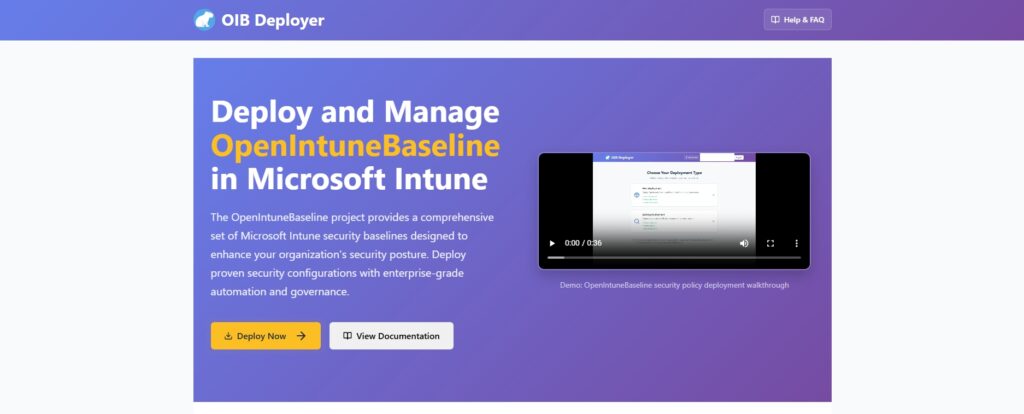
Start by signing in with a priviliged account in your tenant.
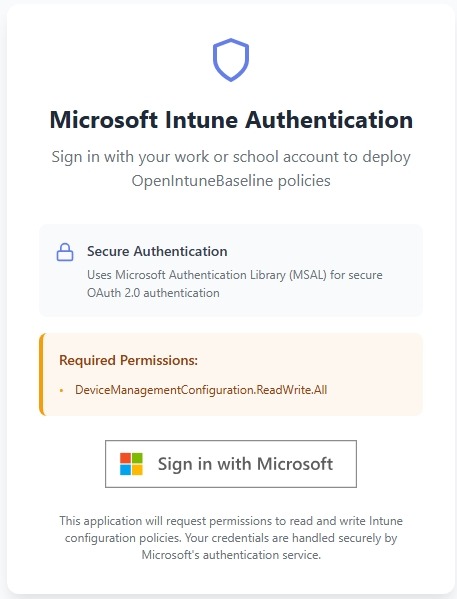
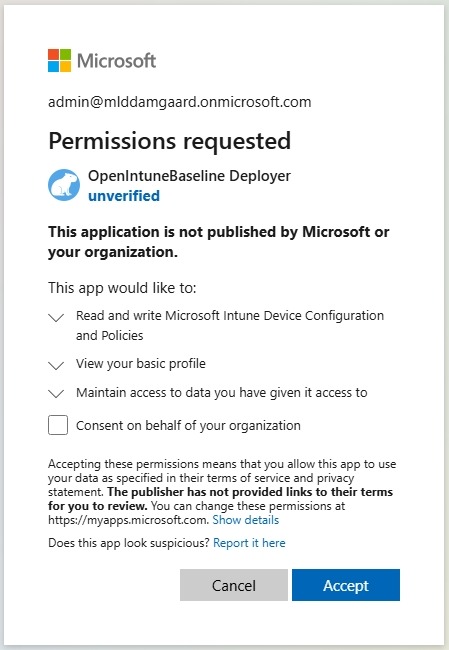
Once signed in, it will ask you to consent these permissions, go ahead and hit “Accept”. Once finished you will be redirected to the actual deploying tool.
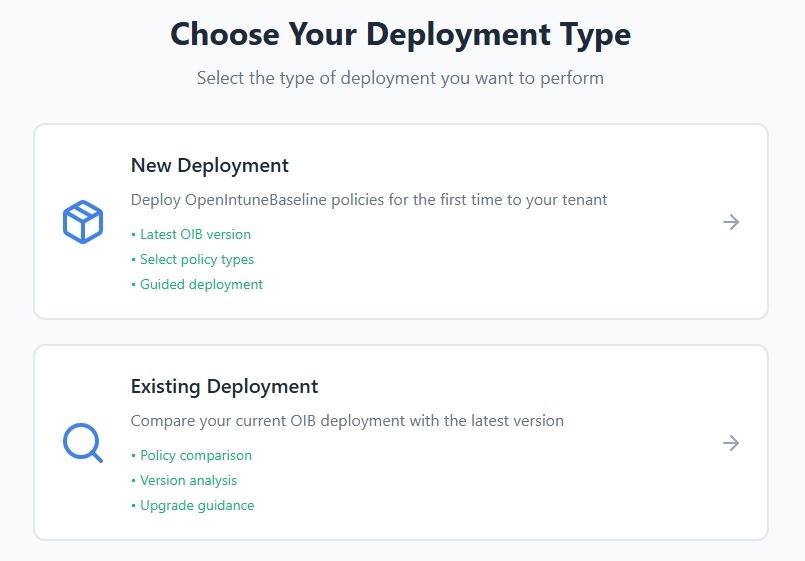
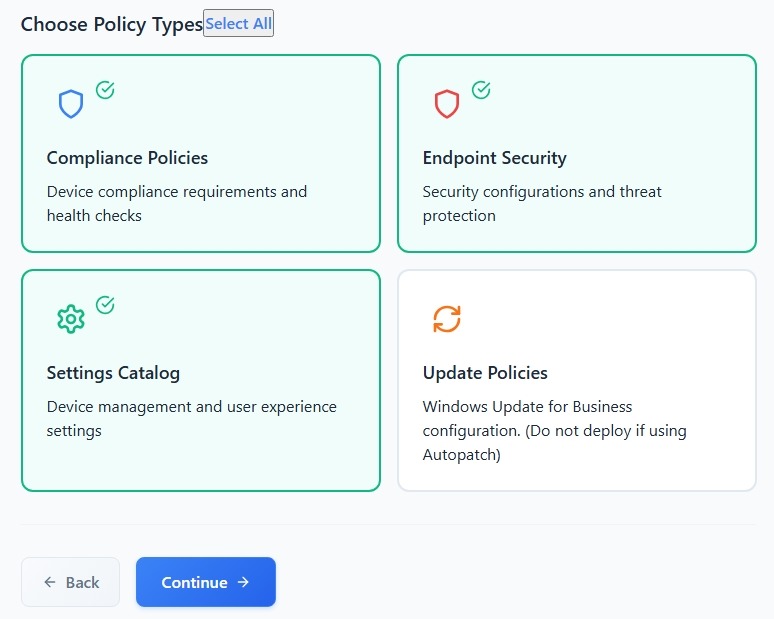
From the deployment page select “New Deployment” and select what products you want to import a baseline for, i will only cover Windows in this series and will therefore only select Windows
Microsoft recently released an update for Windows Autopatch which i will be using instead og Windows Update for Business. Thats why i don’t import the policies. Once these are selected hit “Continue”
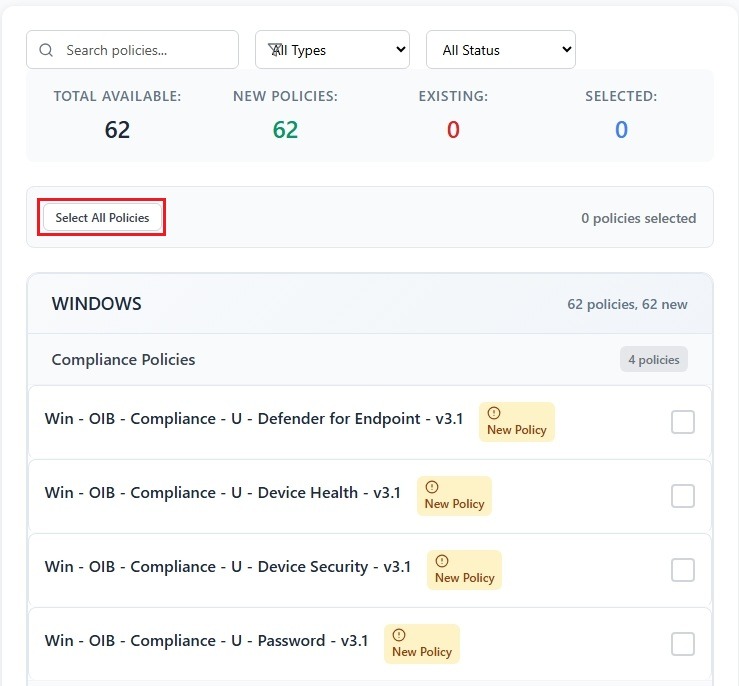
I will hit the button “Select all Policies” and click Deploy in the buttom of the screen. This will create all the policies in your intune envirement without assigning them.

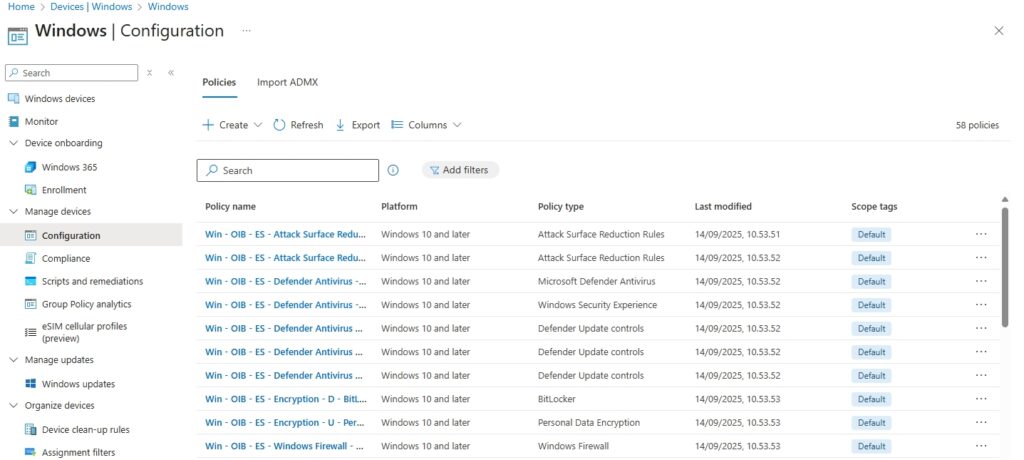
Verifying the deployment
Head over to the Intune portal and look under configuration and complaince and now you should be able to see a bunch of policies.
Summery
This guide hopefully took you through importing the OIB baseline without any problems. Follow along this series where i go through the actual analysis of your enviremnt and help to bring the OIB to life in your production envirement.
Credits
- I wan’t to give all credits to the developers and contributers of this project, they are truely amazing people go ahead and check ouy their stuff. – You can find all there profiles in the contributer section in github form this link: https://github.com/SkipToTheEndpoint/OpenIntuneBaseline
- See also https://openintunebaseline.com/ for inspiration, documentation and much more. Please help by leaving them a nice review as thats what keeps these free projects up and running.